EasyPost now offers two plans:
These plans provide flexibility, access to discounted rates, and simplified carrier account management heading into peak season. Shippers can choose the plan that best aligns with business goals.
Ship with Wallet Carriers through EasyPost's free access plan. Wallet Carriers eliminate the need to manage individual carrier accounts by providing instant access to multiple carriers through EasyPost.
- Cost: Free up to 3,000 labels per month, then $0.08 per label
- Ideal for: Small to mid-size shippers, or larger shippers seeking the convenience and flexibility of using EasyPost’s pre-negotiated carrier contracts.
- Pre-negotiated discounted rates: Access lower rates without having to meet traditional volume minimums or negotiate.
- Centralized billing: Avoid managing invoices and reconciliation across multiple carriers.
- Multiple carriers instantly: Stay ahead of peak season shipping constraints, surcharges, and downtime without being tied down by carrier contracts.
This plan is designed for high-volume shippers with established carrier relationships and custom rate cards. BYOCA provides complete control over carrier selection, pricing, and billing by allowing shipments to be created using existing negotiated contracts.
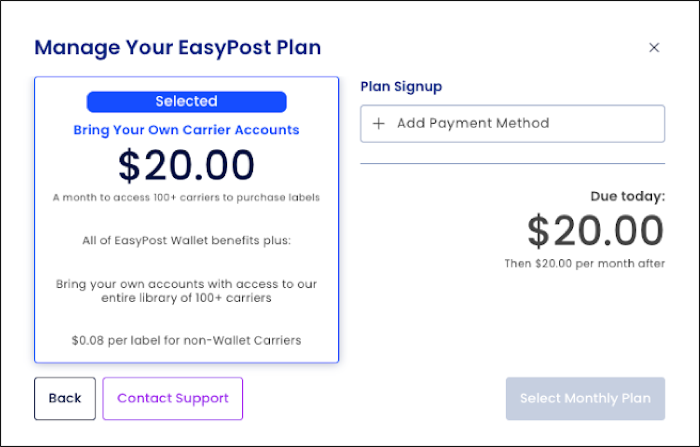
- Cost: $20.00 per month, plus $0.08 per label
- Ideal for: Shippers with long-standing carrier contracts and high shipment volumes.
- Access to 100+ carriers: Includes national, international, regional, and consolidator services.
- Use of existing rate cards: Leverage your own pre-negotiated pricing with individual carriers.
- Direct carrier billing: Maintain direct financial relationships for postage, fees, and reconciliation.
New users will be prompted to select a plan during the initial setup. Follow the steps below to choose between Wallet Carriers (Free Access Plan) and BYOCA.
- Log in to the EasyPost Dashboard.
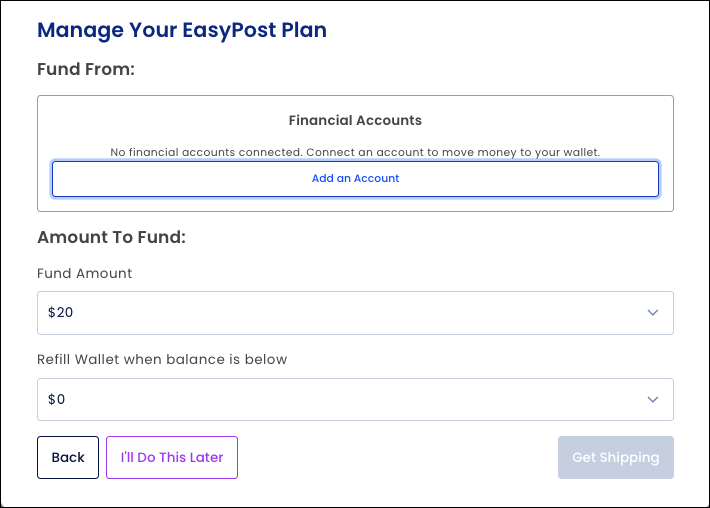
- A prompt will appear to Manage Your EasyPost Plan (EasyPost Wallet Carriers or BYOCA):
-
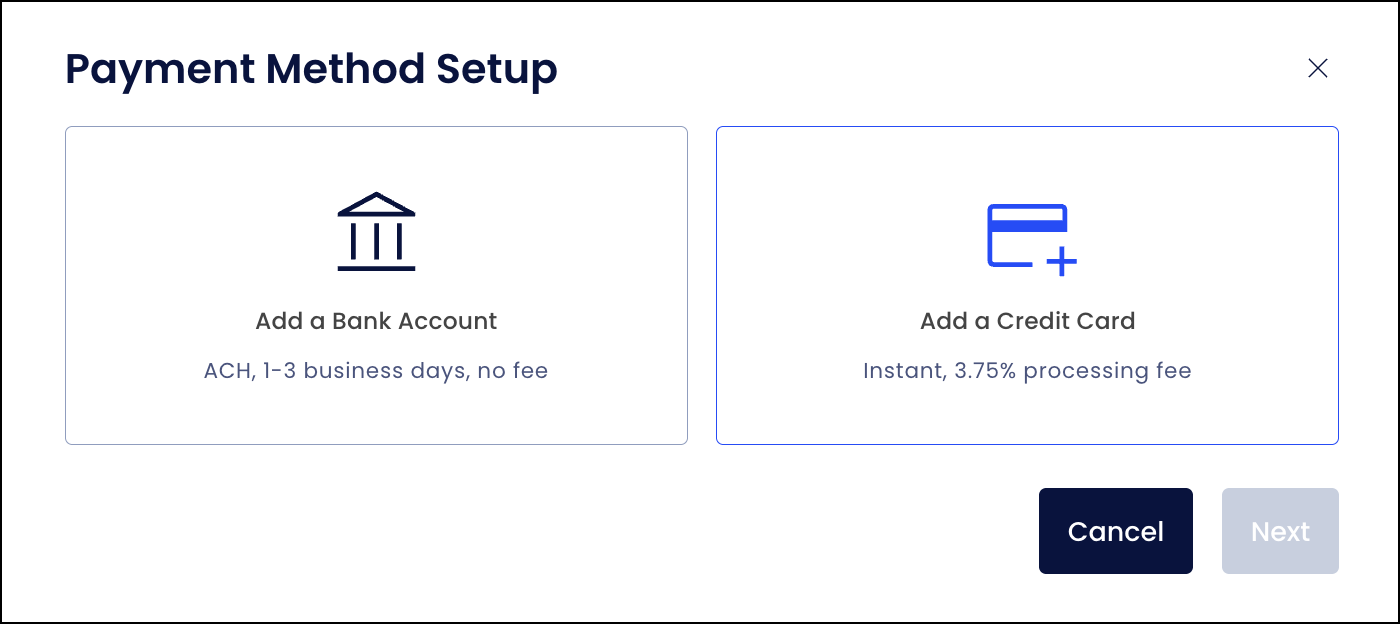
If a Wallet has not been set up, you will be prompted to add an account. Follow the instructions to complete Wallet setup before proceeding.
-
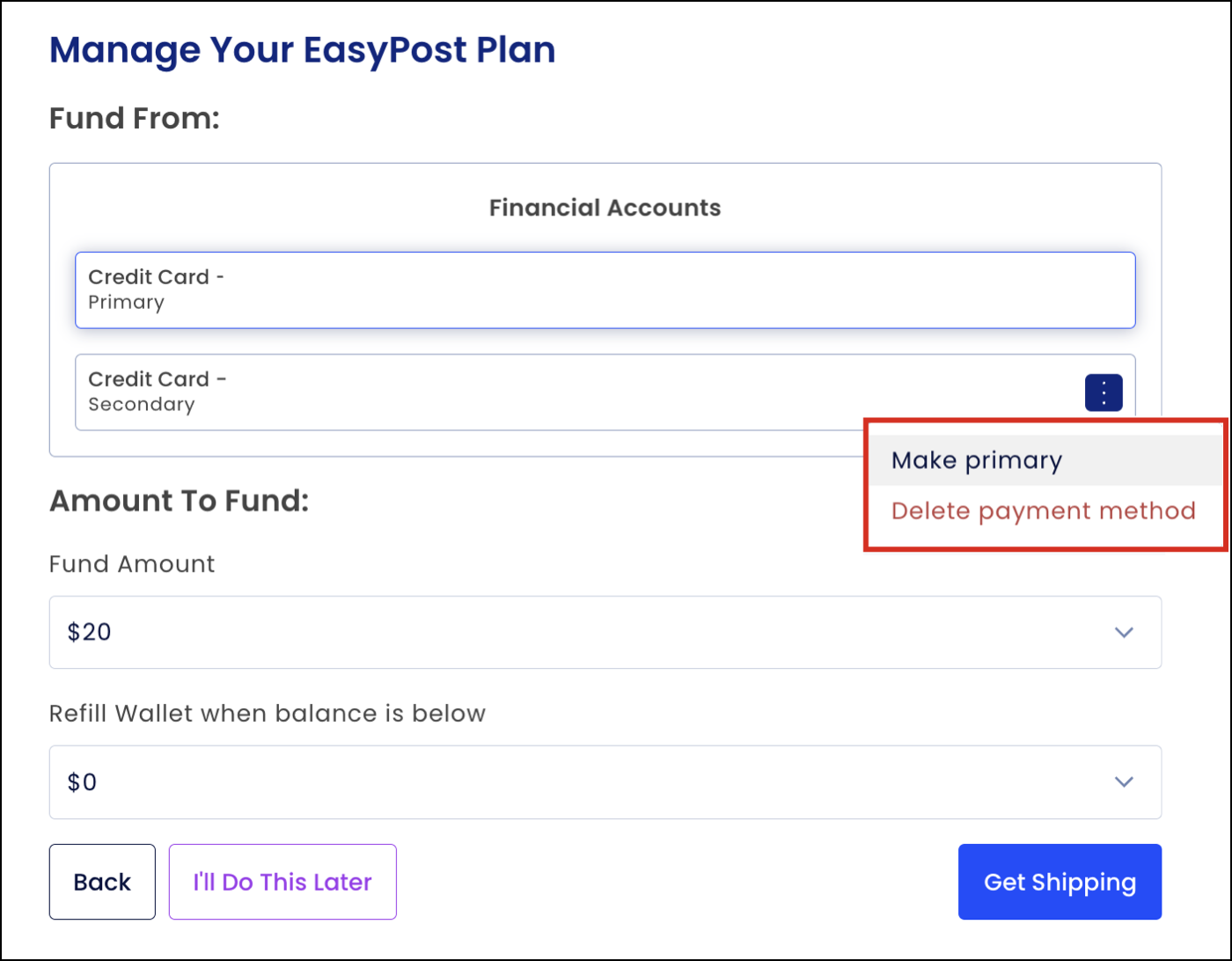
If a Wallet has already been set up, the existing Wallet can be used, or the payment method can be updated as needed. The primary account is used for all transactions.
When selecting EasyPost Wallet Carriers, the following screen is displayed:
When selecting BYOCA, the following screen is displayed:
Existing users can update or change their selected plan at any time from within the EasyPost Dashboard.
- Log in to the EasyPost Dashboard.
- Navigate to Account Settings > Billing.
-
Select Manage next to your plan under the Subscriptions section.
- Follow the on-screen prompts to select a monthly plan.
Q: What are EasyPost Wallet Carriers?
EasyPost Wallet Carriers are part of the free access plan, replacing and repositioning the previous “EasyPost Carrier Accounts.”
Q: Which carriers are included under Wallet?
As of August 14, 2025, the following carriers are included:
Q: Is there a cost to use Wallet Carriers?
No. Wallet Carriers are free to use with no fees, contracts, or volume minimums for the first 3,000 labels per month. After 3,000 labels, a charge of $0.08 per label applies.
Q: Is there a cost to use non-Wallet carriers (BYOCA)?
The BYOCA fee is: $20 per month, plus $0.08 per label.
Q: Does this impact all EasyPost users?
All customers benefit from the Wallet update. The BYOCA fee, however, applies only with non-Wallet carriers.
Q: Can plans be changed at any time?
Yes. Plan selection can be updated at any time within the EasyPost Dashboard.
Q: Why is EasyPost introducing Wallet?
Wallet improves how the “EasyPost Carrier Accounts” program is understood. It:
- Highlights centralized billing benefits.
- Uses intuitive naming for non-EasyPost users.
- Unifies previously separate carrier names (e.g., “USPS”, “UPS DAP/UPS through EasyPost”, “FedEx Default”, “DHL eCommerce by Default”) under one umbrella.
Q: Where can more information about Wallet be found?
Visit the EasyPost Wallet page for details.
For questions about getting started with the EasyPost API please talk to a Shipping Expert or contact our Support team.